¶ Snap Text Broken
Sometimes snap text may appear as squares (eg. □□□□□□□□). As an example:
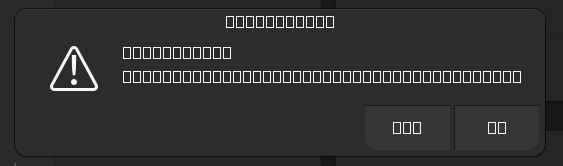
To fix this, clear and regenerate the font caches for the user and snap packages.
First, clear and regenerate the user font cache:
rm -rf ~/.cache/fontconfig
sudo fc-cache -r -v
Next get the list of fontconfig cache directories for each snap:
cd ~/snap
find . -wholename '*/.cache/fontconfig'
Remove the found cache directories, eg.
rm -rf ./bitwarden/common/.cache/fontconfig ./raindrop/common/.cache/fontconfig
Reboot the system and the fonts should now be fixed.